 RequestBite
RequestBite API Catalog
What is API Catalog?
The RequestBite API Catalog is a community-built catalog of interesting REST APIs from around the world. The catalog contains links to the OpenAPI specs of these APIs and thus returns data in a standards-based format that can be used in Slingshot or any other API client that supports importing Swagger/OpenAPI specs.
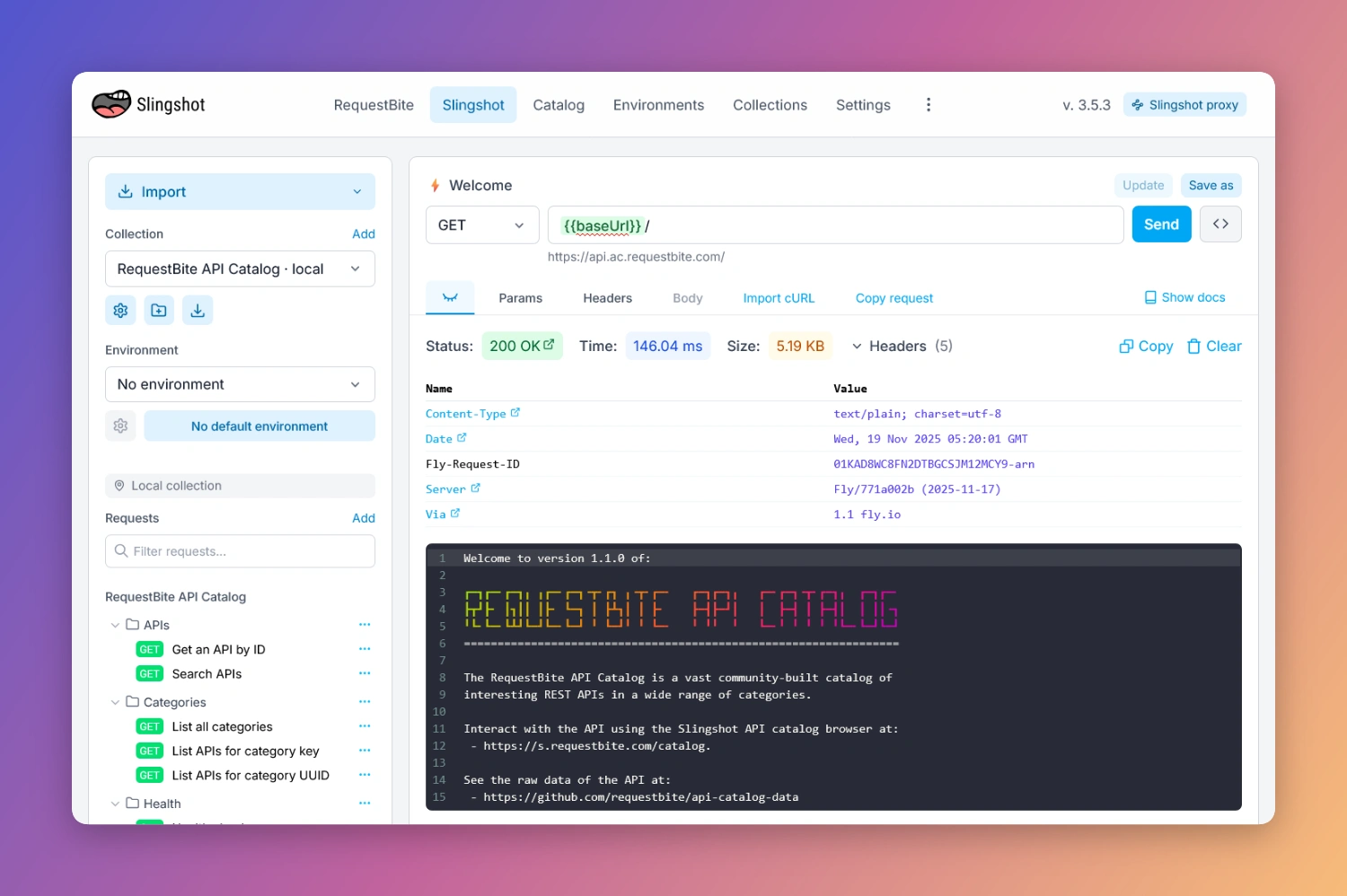
The catalog itself is served through an open and publicly available API, but the easiest and most efficient way to search and browse the catalog is through the catalog browser that is built into Slingshot.
If you want to play with the API itself, you can of course find the OpenAPI spec to the API catalog API in the catalog itself.
Browse the catalog
In Slingshot:
In HQ:
- Use the search bar in the middle of the Home screen.
Contribute to the catalog
We highly encourage and appreciate contributions of publicly available high-quality REST API definitions in OpenAPI/Swagger format. To contribute, you need a RequestBite account. If you don't already have one, you can sign up for one here - it's completely free of charge.
When logged into HQ, go to API Catalog in the left-side menu and click Add API in the upper-right corner.
Type in the URL of your OpenAPI Spec and click "Test". If the spec is in a supported format, you an now click "Next" to proceed to the submission form.
On the next page, fill out the form like so:
- Logo (optional)
Drag and drop a .png, .jpeg, .webp och .svg logo over the dropzone to attach a graphical logo to the API spec contribution. You can also click the dropzone itself to upload a file from your computer. - Name
Name of API. Is automatically extracted from the OpenAPI spec but can be tweaked so users can more easily find it. Let's say you're adding an API spec for the service "Google Drive", then the name "Google Drive API" is better than "Drive API". - Description (optional)
Description of API. A proposal (extracted from the OpenAPI spec) is added automatically. Descriptions support the CommonMark Markdown spec so you can add basic Markdown markup in the text area to the left and see the rendered result to the right. - Category
Pick a category that is relevant for the spec. If you don't know which to pick, search the catalog for a similar service and pick the same category. - Region
If the API is specific to a country, then pick that country here, otherwise pick "Global". It's not possible to pick multiple countries or other types of regions such as "Europe" or similar. - External documentation (optional)
While not mandatory, it's highly appreciated (and helpful for users) if you provide a link to the official documentation for the API you're submitting (if it exists). - Source
If the OpenAPI/Swagger spec you link to is the official spec from the API owner, then pick "API Provider". If, on the other hand, the spec is an unofficially generated spec, e.g. due to the lack of an official one, then pick "Community".
When you have provided all mandatory data, you can click "Submit". The proposal will then be sent to RequestBite for review. The review process might take a few days, after which you will receive an email with information regarding whether the API was published in the catalog or not.
You can also see the status of your proposal in the API Catalog page.
Withdraw proposal
If you have submitted a proposal, you have the possibility to withdraw it before it's been published to the catalog (if it's in status "Pending"). To withdraw a proposal, do like this:
- Go to the AP Catalog page in HQ.
- For the pending proposal you want to withdraw, click the
...button at the far right. In the context menu, pick "Withdraw...". - In the modal dialog that shows up, click "Withdraw".